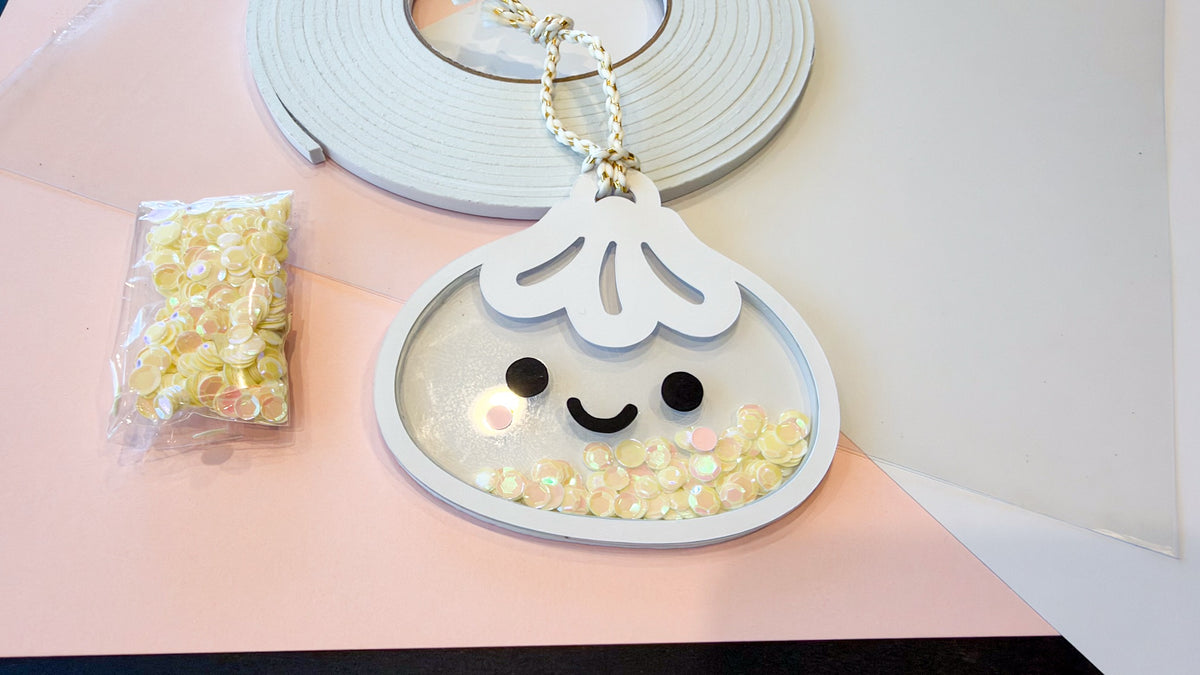


Dumpling Shaker Ornament SVG file - Kawaii Christmas Ornament Cut File - Digital Download
Dumpling Shaker Ornament SVG file - Kawaii Christmas Ornament Cut File - Digital Download
Free US shipping on orders $50+
Couldn't load pickup availability
Dumpling Shaker Ornament SVG file - Kawaii Christmas Ornament Cut File - Digital Download
$4.95
The Dumpling Shaker Ornament SVG is the exact file I used for my cutest ornament of the year: a happy little dumpling with rosy cheeks and a clear acetate belly full of shaky sequins. It's all cardstock, acetate, and foam tape, and it hangs right on the tree.
What you get
- File type: SVG (layered cut file)
- Layers: front frame with hanger loop, clear acetate window, foam "donut" spacer, solid back with hanger loop, plus the face pieces (2 eyes, smile, 2 cheeks)
- Size: about 4" x 3.8" finished. Resize it to make a mini or a big one.
- Delivery: Instant download, file available right after purchase, no shipping required
- No watermark on the downloaded file
Software & machine compatibility
- Cricut Design Space (Joy, Explore, Maker), Silhouette Studio (Cameo, Portrait), Glowforge App, xTool Creative Space, Brother ScanNCut, Inkscape (free), Adobe Illustrator
What you'll need to make it
- White cardstock for the front, back, and spacer
- Black cardstock for the eyes and smile
- Light pink cardstock for the cheeks
- Clear acetate for the shaker window
- White foam tape (or extra white cardstock for the spacer, see below)
- Shaker fill like sequins, and a ribbon or cord to hang it
- Craft glue for the face pieces
How to make it
- Using foam tape: delete the "donut" layer in the SVG before you cut. The foam tape is your spacer.
- Not using foam tape: cut several white cardstock "donuts" and glue them in a stack, so your shaker fill has room to move.
- My acetate trick: I used the scoring tool to mark the acetate where the face pieces go, so gluing the eyes, smile, and cheeks on straight was easy.
- Glue the face to the acetate, then layer front, acetate, spacer, fill, and back.
Project ideas
- A Christmas tree ornament for the dumpling lover in your life
- A gift topper or gift tag
- A backpack or bag charm
- A sweet Lunar New Year decoration
Frequently asked questions
What software opens an SVG file?
Cricut Design Space, Silhouette Studio, Glowforge App, xTool Creative Space, Inkscape, or Adobe Illustrator.
Do I need foam tape?
No. Foam tape is the quick way to make the shaker space. If you don't have it, cut several of the cardstock "donut" spacers and stack them. If you do use foam tape, delete the donut layer before cutting.
How do I get the face lined up on the acetate?
Use your machine's scoring tool to mark the acetate where the face pieces go before it cuts. Then you just glue each piece on its mark.
Can I resize the design?
Yes. It's a vector file, so it resizes cleanly. Keep it proportional so every layer still lines up.
What's the license?
Personal use only. You can use this design for your own crafts and personal projects. You may NOT resell the digital file or use it for commercial production. Sharing the file with others is not permitted.
See how I made mine in the dumpling shaker ornament tutorial, or browse all digital downloads.
Share