

Christmas Gift Tags + Pocket Gift Card Holder Bundle - Print Then Cut SVG, PNG + Cricut Files - Digital Download
Christmas Gift Tags + Pocket Gift Card Holder Bundle - Print Then Cut SVG, PNG + Cricut Files - Digital Download
Free US shipping on orders $50+
Couldn't load pickup availability
Christmas Gift Tags + Pocket Gift Card Holder Bundle - Print Then Cut SVG, PNG + Cricut Files - Digital Download
$4.95
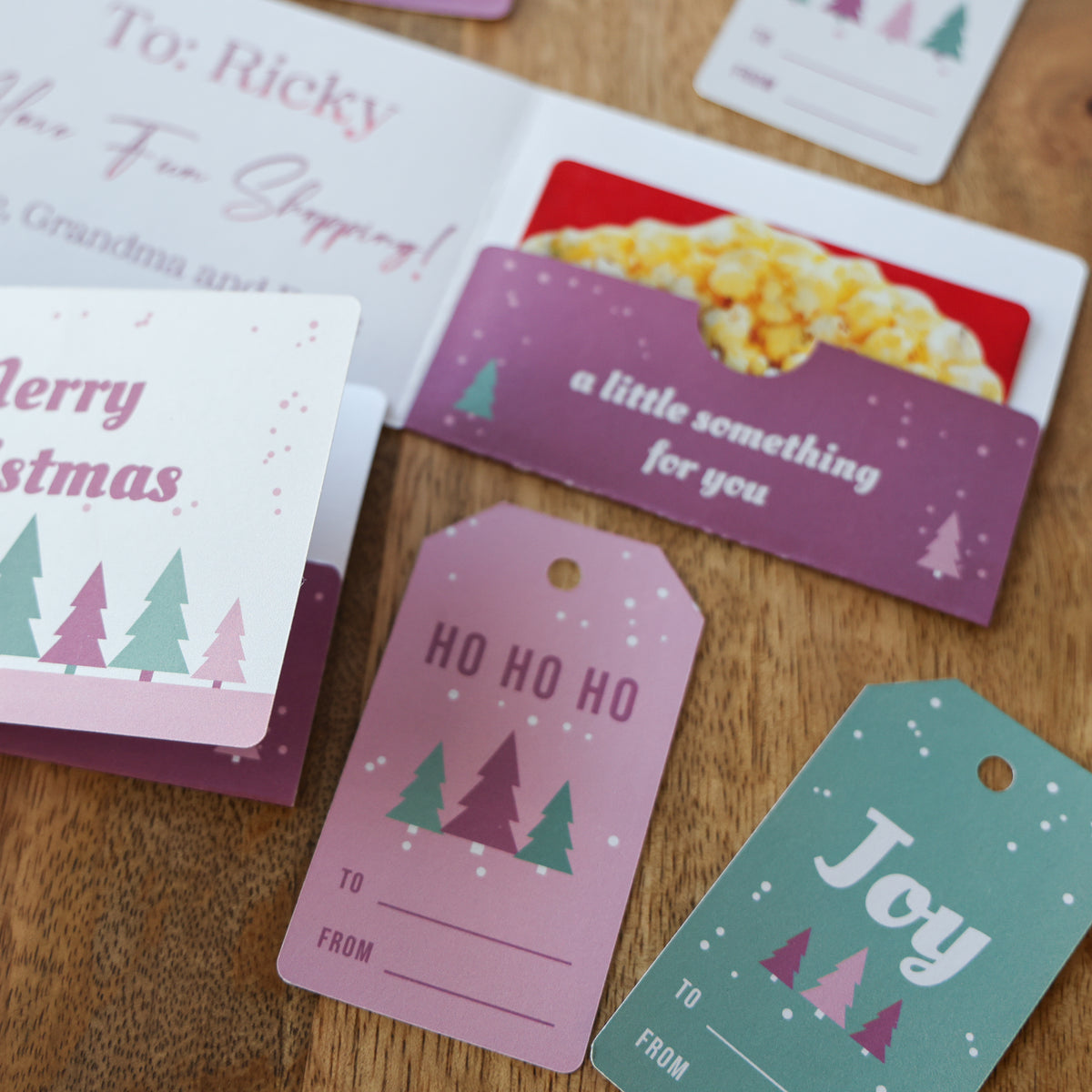
The Christmas Gift Tags + Pocket Gift Card Holder bundle is the exact set I made in my xTool C1 print then cut video: four matching gift tags and a little folded book with a pocket that holds a gift card. Print it on cardstock, let your machine cut it out, fold, and it's ready to go under the tree. No registration marks needed on the xTool C1, and there's a separate Cricut Design Space version so it works for Print Then Cut too.
What you get
- Pocket gift card holder: folds into a 3.9" x 2.8" book with a pocket inside that fits a standard gift card, plus a blank side for your note
- 4 gift tag designs: Merry Christmas, Merry & Bright, HO HO HO, and Joy, each 1.8" x 3.2" with a ribbon hole and To/From lines
- Cricut Design Space files: flattened print PNGs + matching cut (and score) SVGs, with a step-by-step how-to
- xTool files: print, cut, and combined SVGs, plus print-ready PNG and PDF, for one holder, two holders on a letter sheet, and a letter sheet of 12 tags
- Delivery: Instant download (one zip file), available right after purchase, no shipping required
- No watermark on the downloaded files
Software & machine compatibility
- xTool C1 and xTool Creative Space, Cricut Design Space Print Then Cut (Joy Xtra, Explore, Maker), plus any program that opens SVG, PNG, or PDF files
What you'll need to make it
- Printable cardstock 8.5x11 (I use my white 67lb printable cardstock)
- An inkjet printer (or the xTool C1, which prints and cuts)
- A scoring stylus or scoring wheel for the holder's fold lines
- Double sided tape or glue for the pocket edges
- Ribbon or twine for the tags
How to make it
- Cricut Design Space: upload the PNG and the SVG, resize the PNG to the size in the how-to (Design Space changes PNG sizes on upload), Slice the cut outline into the print design, change the fold lines to Score, and Attach. The included how-to walks you through every step.
- xTool C1: use the combined file, or the print and cut files, and the C1 prints and cuts with no registration marks.
- Fold the holder: fold down the long score line, printed side out, then fold the pocket flap up onto the blank inside and glue only the left and right edges.
Project ideas
- Teacher, coach, and bus driver gift cards
- Stocking stuffers and Secret Santa gifts
- Cash gifts for the kids and grandkids
- Matching tags for every present under the tree
Frequently asked questions
Will this work in Cricut Design Space?
Yes. There's a Cricut folder with a flattened print PNG and a separate cut and score SVG for the holder, plus a PNG for each tag and one cut file that works for all four. Follow the how-to: resize the PNG first, then Slice, Score, and Attach.
Why do I have to resize the PNG in Design Space?
Design Space changes the size of PNG files when you upload them. Set the PNG to the size listed in the how-to so it matches the cut file exactly.
Does a gift card really fit?
Yes. The pocket fits a standard 3.37" x 2.13" gift card.
Can I resize the design?
I don't recommend it for the holder, since the pocket is sized for a gift card. The tags can be resized as long as you resize the print and cut files the same amount.
What's the license?
Personal use only. You can use these designs for your own crafts and gifts. You may NOT resell the digital files or use them for commercial production. Sharing the files with others is not permitted.
Grab printable cardstock for your printer, or browse all digital downloads.
Share