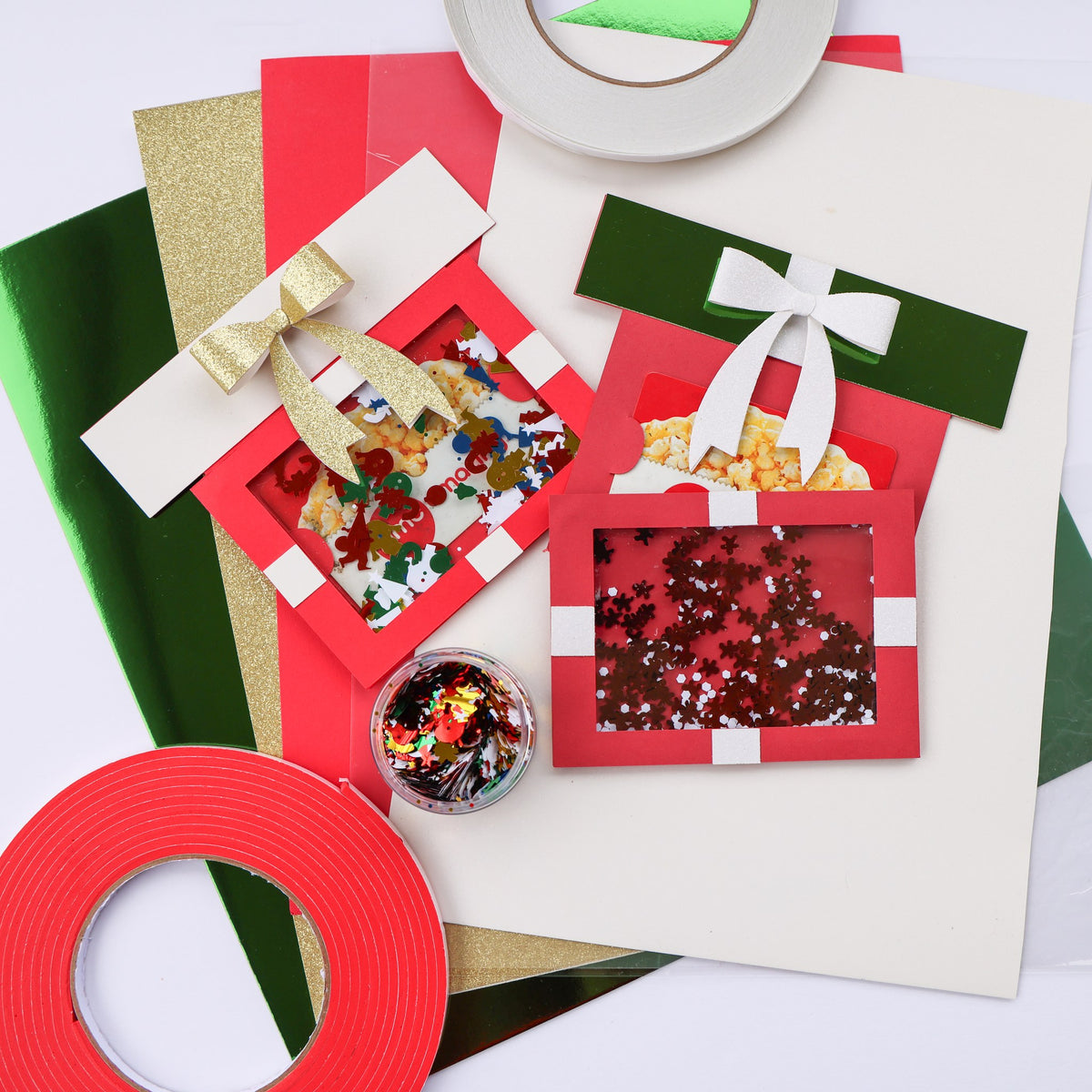


3D Bow Present Gift Card Holder SVG - Christmas Shaker Gift Card Holder - Cricut Cut File - Digital Download
3D Bow Present Gift Card Holder SVG - Christmas Shaker Gift Card Holder - Cricut Cut File - Digital Download
Free US shipping on orders $50+
Couldn't load pickup availability
3D Bow Present Gift Card Holder SVG - Christmas Shaker Gift Card Holder - Cricut Cut File - Digital Download
$4.95
The 3D Bow Present Gift Card Holder SVG turns a plain gift card into a little Christmas present. It's a shaker, so the window is full of sequins that move every time you pick it up, and the gift card slides right into the back. Top it with a 3D cardstock bow and it's ready to hand over or tuck in a stocking.
What you get
- File type: SVG cut file for Cricut Design Space
- Pieces: two present windows, the back with the gift card cut lines, a plain backing rectangle, the ribbon squares, and the 3D bow
- Size: already sized for a standard gift card, so there's no resizing. Just upload and cut.
- Delivery: Instant download, available right after purchase, no shipping required
- No watermark on the downloaded file
Software & machine compatibility
- Cricut Design Space (Joy Xtra, Explore, Maker), plus any program that opens SVG files, like Silhouette Studio, xTool Creative Space, Inkscape, or Adobe Illustrator
What you'll need to make it
- Cardstock in any colors you like. I made it two ways:
- Clear acetate for the shaker windows
- Double sided tape
- Red foam tape, or any color that matches your cardstock
- Shaker sequins
- Craft glue
How to make it
- Upload and attach: upload the SVG to Cricut Design Space without resizing it. Select the grouped file and click Attach, so the gift card cut lines stay on the back piece.
- Build the shaker: tape acetate behind both windows, run foam tape around one, fill it with sequins, and press the two windows together, ugly sides in.
- Decorate: glue on the ribbon squares, then add the bow with a piece of foam tape.
- Make the pocket: put double sided tape on the left, right, and bottom edges of the plain rectangle (never the top), and press the shaker onto it. Slide the gift card in from the top.
The full step by step is in the Christmas present gift card holder tutorial.
Project ideas
- Teacher, coach, and bus driver gifts
- Stocking stuffers and Secret Santa
- Cash gifts for the kids and grandkids
- A gift you can mail flat in a card envelope
Frequently asked questions
Do I need to resize the file?
No. It's already sized to fit a standard gift card. Upload it to Design Space and cut it as is.
Why do I need to click Attach?
Attach keeps the gift card cut lines on the back piece where they belong. If you skip it, Design Space moves those lines to their own spot on the mat.
What colors should I use?
Anything you like. I made one with smooth red, white glitter, and gold glitter cardstock, and another with smooth red, white glitter, and green mirror cardstock. Just match your foam tape to your cardstock.
Do I need foam tape?
Yes. The foam tape makes the space between the two acetate windows so the sequins can move.
What's the license?
Personal use only. You can use this design for your own crafts and gifts. You may NOT resell the digital file or use it for commercial production. Sharing the file with others is not permitted.
Grab clear acetate and red foam tape for your shaker, or browse all digital downloads.
Share