

Turkey Place Card SVG file - Thanksgiving Print Then Cut & Cricut Cut File - Digital Download
Turkey Place Card SVG file - Thanksgiving Print Then Cut & Cricut Cut File - Digital Download
No se pudo cargar la disponibilidad de retiro
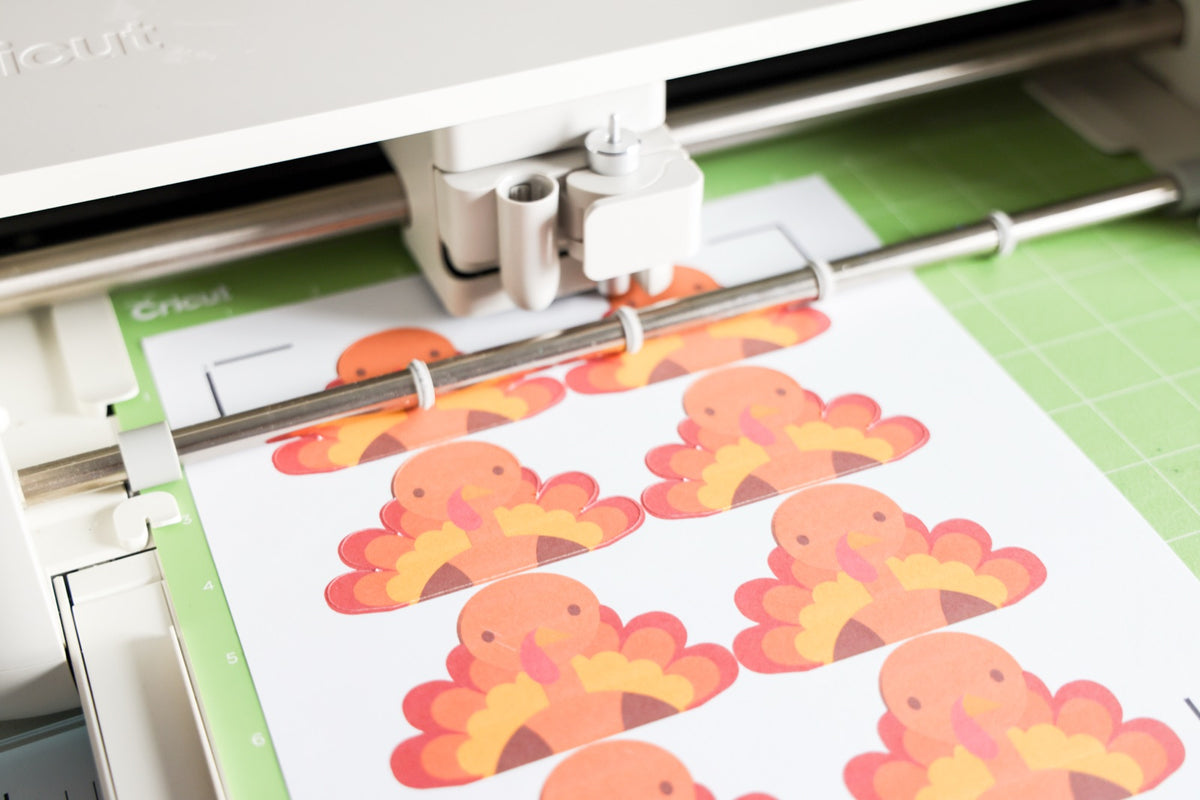
The Turkey Place Card SVG is the exact file I used for my Thanksgiving table: a chubby turkey in a Pilgrim hat peeking over a tent place card with a white panel for each guest's name. Cut it in layers from cardstock, or print it on printable cardstock and use Print Then Cut for a full-color card in minutes.
What you get
- File types: SVG (layered cut file) and PNG (300 dpi, transparent background, ready for Print Then Cut)
- Size: about 4.8" x 7.8" flat, and it folds in half into a tent place card. Resize it to fit your table.
- Delivery: Instant download, files available right after purchase, no shipping required
- No watermark on the downloaded files
Software & machine compatibility
- Cricut Design Space (Joy, Explore, Maker), Silhouette Studio (Cameo, Portrait), Glowforge App, xTool Creative Space, Brother ScanNCut, Inkscape (free), Adobe Illustrator
What you'll need to make it
- Printable cardstock 8.5x11 and a home printer for Print Then Cut
- Or smooth cardstock in tan, white, black, red, yellow, orange, and brown for a layered version
- Craft glue or double sided tape
- A scoring stylus or scoring wheel for the fold
How to make it
- Print Then Cut: upload the PNG (or flatten the SVG), print it on printable cardstock, and cut on a StandardGrip mat with the Cardstock setting.
- Layered: upload the SVG, and each color comes in as its own layer to cut from cardstock and glue together.
- The fold line: the line across the middle of the card is the fold. In Design Space, change that line from Cut to Score so it doesn't cut your card in half.
Project ideas
- Thanksgiving and Friendsgiving place cards with each guest's name
- Buffet and dessert table food labels
- Classroom Thanksgiving crafts and name tags
- A cute card front for a Thanksgiving greeting card
Frequently asked questions
What software opens an SVG file?
Cricut Design Space, Silhouette Studio, Glowforge App, xTool Creative Space, Inkscape, or Adobe Illustrator.
Can I use this for Print Then Cut?
Yes. The PNG is ready for Print Then Cut. At full size it fits inside Cricut's Print Then Cut area on letter paper, and you can shrink it to fit more per sheet.
Why did my card cut in half?
The fold line came in as a cut line. Select it in Design Space and change the operation to Score before you cut.
Can I resize the design?
Yes. It's a vector file, so it resizes cleanly. Keep it proportional so the turkey still lines up with the card.
What's the license?
Personal use only. You can use this design for your own crafts and personal projects. You may NOT resell the digital file or use it for commercial production. Sharing the file with others is not permitted.
See how I made mine in the printable cardstock tutorial, or browse all digital downloads.
Compartir